
Artical
Audit First Subscription Billing Automation for Finance Teams

Manual spreadsheets and fragmented systems quickly stall growth when recurring or usage-based billing volume scales. An audit-first approach to subscription billing automation targets high-risk failure points—like failed payments, manual proration errors, and tax miscalculations—before you implement a new platform. By diagnosing these friction areas early and testing against a messy customer cohort, finance teams can shorten month-end closes, cut involuntary churn, and build an auditable revenue engine that scales cleanly.
Audit First Subscription Billing Automation for Finance Teams
Subscription billing automation is worth adopting the moment your recurring or usage-based revenue outgrows manual spreadsheets. It cuts billing errors, recovers failed payments that would otherwise vanish as involuntary churn, and gives finance a faster close. Companies with more than modest recurring volume or layered pricing plans see the clearest returns.
TL;DR:
Automation is essential when recurring revenue exceeds manual capacity, especially with complex pricing, multiple currencies, and mid-cycle updates.
Core functions include usage rating, proration, dunning, tax calculation, and real-time API integration, which prevent errors and revenue loss.
Ownership should shift from initial sign-off to dedicated roles like finance, product, and revops, with strict governance and accountability to avoid silent errors.
When evaluating solutions, prioritize flexibility in pricing and proration accuracy, support for international payments, reliable revenue recognition, and security standards.
Implementation success depends on thorough audits, detailed data mapping, pilot testing, and continuous monitoring to prevent mishaps post-launch.
Table of Contents
What Is Subscription Billing Automation and Who Needs It?
What Does Subscription Billing Automation Actually Do?
Who Should Own Billing Operations as You Scale?
What Should You Look for When Evaluating Solutions?
How Do You Implement Subscription Billing Automation Correctly?
What Data Flows and Integrations Does Billing Automation Require?
How Do You Recover Failed Payments and Improve Payment Success?
How Does Billing Automation Support Revenue Recognition and Compliance?
How Long Does It Take and What Does It Cost?
How Newflow Approaches Billing Automation Projects
What Lessons Matter Most From Real Implementations?
Sources
What Is Subscription Billing Automation and Who Needs It?
Getting your first hundred subscribers billed correctly by hand is manageable. Getting your ten-thousandth billed correctly, on time, in twelve currencies, with three different pricing tiers and a mid-cycle upgrade, is not. That gap is where subscription billing automation earns its keep.
Before diving into evaluation criteria, it helps to move fast on the fundamentals. Here are the three steps finance and RevOps teams should follow before signing any contract.
Step 1: Audit your billing needs and failure modes. Pull every place billing breaks today: failed retries, manual proration adjustments, tax miscalculations, refund backlogs. You cannot automate what you haven’t diagnosed.
Step 2: Shortlist by finance-first criteria, not feature lists. Rank candidates on proration accuracy, dunning sophistication, revenue recognition hooks, and integration depth with your CRM and ERP, not by how many logos appear on their homepage.
Step 3: Pilot on a representative cohort with parallel reconciliation. Run the new system alongside your existing process for a full billing cycle, comparing every invoice line by line before you cut over.
Audit failure modes: failed payments, manual proration, refund delays, tax errors
Shortlist against proration, dunning, revenue recognition, and integration criteria
Pilot with a real customer cohort and parallel reconciliation before cutover
Pro Tip: Run your pilot on your messiest customer segment, not your cleanest one. If the system handles your most complex contracts, mid-cycle upgraders, and multi-currency accounts correctly, it will handle everything else.
Gartner’s analysis of the recurring billing applications category frames this software as critical infrastructure for automating billing, usage rating, and revenue recognition across both enterprise and mid-market businesses. That’s not a marginal upgrade. It’s a structural shift in how revenue operations function.
What Does Subscription Billing Automation Actually Do?
Subscription billing automation is software that manages the full lifecycle of recurring revenue: pricing logic, usage rating, product catalog management, invoice generation, payment collection, dunning, tax calculation, and the APIs that connect all of it to the rest of your stack. It is distinct from a payment gateway, which only moves money, and from an ERP, which records the financial outcome after the fact. Billing automation sits in between, translating a subscription agreement into an accurate, timely charge, then handing clean data downstream.
Zuora positions its platform as an enterprise monetization layer built to automate recurring, usage-based, and hybrid billing while integrating with CRM and ERP systems for full quote-to-cash coverage. That framing captures the core job: billing automation is the connective tissue between sales, product usage, and the general ledger.
Core capabilities worth knowing:
Billing logic and catalog management: define pricing tiers, add-ons, discounts, and product bundles without engineering tickets for every change.
Usage rating: meter consumption (API calls, seats, data volume) and convert it into invoice line items automatically.
Invoicing and proration: generate accurate invoices, including partial-period charges for upgrades, downgrades, and cancellations.
Dunning and retry logic: automatically retry failed payments on a schedule tuned to card networks and issuer behavior.
Tax and compliance handling: calculate VAT, sales tax, and other jurisdiction-specific charges at the point of invoice.
APIs and webhooks: push billing events to your CRM, ERP, and analytics stack in real time or on a schedule.
Simple subscription tools are fine if you sell one plan at one price with no usage component. Once you introduce tiered plans, usage-based charges, multi-currency customers, or frequent pricing experiments, manual processes start generating errors faster than your team can catch them. That’s the threshold where automation stops being a nice-to-have and starts being a finance risk mitigation tool.
Who Should Own Billing Operations as You Scale?
Billing ownership tends to drift by default rather than by design, and that drift causes problems. Early on, whoever set up the payment gateway owns it. By the time you have real subscription volume, that same person is fielding revenue recognition questions they were never trained to answer.
Three ownership models dominate, and each has tradeoffs:
Finance-led: finance owns pricing execution, revenue recognition, and reconciliation; strong for audit readiness but can slow down pricing experiments.
Product-led: product owns the catalog and pricing logic; fast to iterate but risks creating revenue recognition gaps finance discovers too late.
RevOps-led: a dedicated revenue operations function bridges finance and product; increasingly common at companies past $10 million in recurring revenue.
Hybrid: product proposes pricing changes, finance approves and monitors compliance; slower than pure product-led but far more audit-friendly.
As volume grows, staffing needs to catch up. A billing administrator handles day-to-day invoice exceptions and customer billing disputes. A payments engineer owns the technical integration between your billing system, gateway, and internal tools. A revenue accountant manages recognition schedules and month-end close. Someone in ops or SRE needs to own uptime monitoring for the billing pipeline itself, because a silent webhook failure can go unnoticed for weeks and quietly erode revenue.
Governance matters as much as staffing. Set approval gates for anything touching the price catalog: no pricing change goes live without finance sign-off, and no catalog edit bypasses a review step. Define SLAs for billing incidents the same way you would for production outages. If a dunning workflow fails silently for 48 hours, that’s a revenue incident, not a minor bug. Newflow’s work with growing teams consistently shows that automation succeeds or fails based on who’s accountable for it, not just which tool gets purchased.
What Should You Look for When Evaluating Solutions?
Feature checklists are easy to find and hard to trust, because every vendor’s marketing page reads like it solves every problem. The better approach is to evaluate against six categories that map directly to where billing actually breaks.
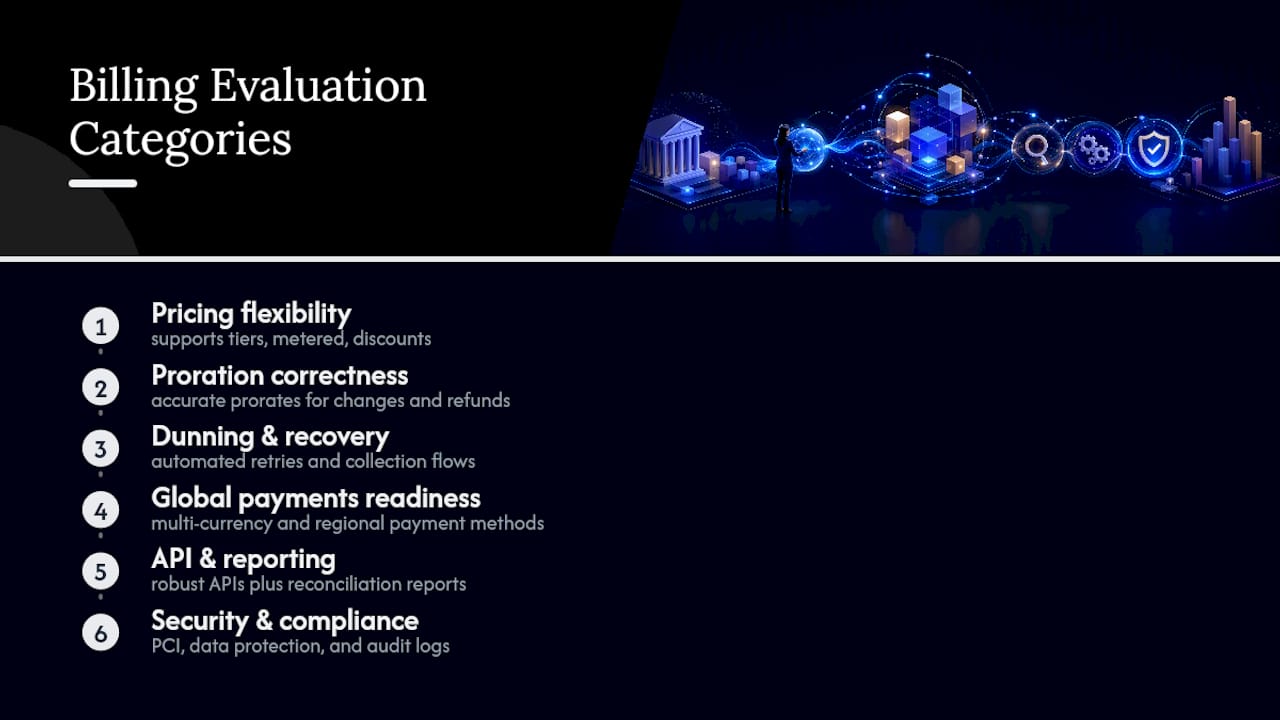
Pricing and catalog flexibility
Your evaluation should test whether the platform handles multi-attribute pricing (seat count plus usage tier, for example), hybrid models that combine flat fees with metered charges, and free-trial-to-paid conversion without manual intervention. Stripe’s billing product bundles payments and billing logic together, offering flexible pricing structures and usage metering designed for teams that want to launch pricing experiments without a lengthy engineering cycle. That combination of low-code setup and API-driven customization matters if your product team runs frequent pricing tests.
Proration and lifecycle correctness
Upgrades, downgrades, and mid-cycle plan changes are where most manual billing systems fall apart. A customer who upgrades on day 12 of a 30-day cycle needs a prorated credit and a prorated new charge, calculated correctly, every time. Chargebee’s product marketing highlights automated proration as a core differentiator precisely because manual proration is one of the most error-prone billing tasks finance teams face.
Dunning and payment recovery
Ask vendors specifically about retry cadence logic, whether they support card updater services that refresh expired card details automatically, and whether they can fall back to alternative payment methods when a primary charge fails repeatedly. This is where recovered revenue lives or dies.
Global payments readiness
If you sell internationally, confirm multi-currency support, local payment method coverage (not every market runs on credit cards), and automated VAT or sales tax handling by jurisdiction. A platform that only handles US card payments well will create friction the moment you expand into markets with different payment norms.
APIs, reporting, and revenue recognition hooks
Your billing system needs to feed structured data into revenue recognition workflows under standards like ASC 606 or IFRS 15. Ask for a demo of the audit trail: can you trace every invoice back to the contract terms and pricing rule that generated it? Gartner’s category overview of recurring billing applications specifically calls out revenue recognition automation as a defining feature of mature platforms, not an optional add-on.
Security, compliance, and SLAs
Confirm PCI DSS compliance for anything touching card data, GDPR-compliant data handling if you serve EU customers, and clear uptime SLAs. A billing outage isn’t just an inconvenience; it’s a direct revenue leak measured in real time.
Pricing flexibility: multi-attribute, usage-based, hybrid, and trial handling
Proration accuracy across upgrades, downgrades, and mid-cycle changes
Dunning sophistication: retry logic, card updaters, payment method fallback
Global payments: multi-currency, local methods, automated tax calculation
Revenue recognition hooks and audit-ready reporting
Security certifications (PCI DSS) and documented uptime SLAs
Pro Tip: Ask every vendor for a live demo of a failed payment recovering successfully, start to finish. If they can’t show you the retry sequence in real time, that’s a signal the feature is thinner than the sales deck suggests.
Vendor capabilities vary meaningfully by use case. Some platforms optimize for enterprise-scale usage rating, others for fast setup and developer experience, and matching the tool to your actual business model matters more than chasing the longest feature list, a point G2’s category reviews reinforce across dozens of billing product comparisons.
How Do You Implement Subscription Billing Automation Correctly?
A rushed implementation is how companies end up with duplicate charges, angry customers, and a finance team doing damage control for a quarter. A disciplined rollout follows a predictable sequence.
Run a pre-project audit. Document data quality issues in your current system, every contract-specific billing rule, and every known failure mode (chronic failed payments, proration disputes, tax miscalculations).
Map every integration point. Trace the full data flow: CRM captures the deal, billing system generates the invoice, payment gateway processes the charge, the ledger records revenue, and analytics dashboards surface the results. Each handoff needs a defined data contract.
Write concrete test scenarios. Test proration on upgrades and downgrades, full and partial refunds, chargebacks, mid-cycle plan switches, and foreign exchange rate handling for international customers.
Design the pilot. Select a customer cohort that represents your real complexity, not just your simplest accounts. Define specific success metrics before you start: reconciliation accuracy, invoice error rate, and time-to-close.
Build the cutover checklist. Run the new system in parallel with the old one for at least one full billing cycle, validate every invoice against the legacy output, and only cut over once discrepancies drop to near zero.
Keep a documented rollback plan. If cutover reveals systemic problems, you need a tested path back to the previous system without losing billing continuity.
Integration mapping deserves particular attention because it’s where most projects lose time. Map data flow explicitly between:
CRM (deal terms, customer records)
Billing platform (catalog, invoicing, dunning)
Payment gateway (charge processing, retries)
General ledger (revenue recognition, journal entries)
Analytics and reporting layer (churn, MRR, cohort tracking)
Zuora notes that its platform is built to handle high transaction volumes with embedded automation designed to surface billing and revenue recognition issues before they compound. That kind of early-warning capability matters more during migration than at any other point, because errors introduced during cutover tend to hide until month-end close, when they’re expensive to unwind.
What Data Flows and Integrations Does Billing Automation Require?
Every billing automation project runs on a canonical data model with five core objects: customer, subscription, invoice, payment, and usage event. Get the relationships between these objects wrong, and every downstream report inherits the error.
Two integration patterns dominate. Real-time webhooks push events (a payment succeeds, a subscription upgrades) the instant they happen, which is essential for usage-based billing where delayed data corrupts invoice accuracy. Scheduled batch exports move larger data sets on a fixed cadence, better suited for nightly reconciliation feeds into the general ledger. Most mature implementations use both: webhooks for time-sensitive events, batch exports for finance-grade reconciliation.
API idempotency is not a technical footnote; it’s a financial control. If a network hiccup causes your system to retry a charge request, an idempotent API guarantees the customer gets charged once, not twice. Without it, duplicate charges become a support and refund problem at scale.
Reconciliation points need a defined golden record strategy: when your billing platform and your ERP disagree about an invoice amount, which system wins? Finance teams should decide this before go-live, not during a heated debugging session three weeks after cutover.
Common pitfalls worth planning around:
Delayed usage ingestion: if metering data lags by hours, invoices generated before ingestion completes will be wrong.
Currency mismatches: a customer billed in EUR but recorded in USD in the ledger creates reconciliation drift that compounds monthly.
Duplicate events: webhook retries without deduplication logic create phantom invoices or double-counted usage.
How Do You Recover Failed Payments and Improve Payment Success?
Failed payments are not evenly distributed across your customer base, and treating them all the same wastes recovery potential. A card that fails due to insufficient funds behaves differently than one that fails because it expired, and your dunning logic should reflect that.
Effective dunning follows a few consistent principles:
Vary retry cadence by failure reason, not a single fixed schedule for every decline code.
Prioritize card updater services that silently refresh expired or reissued card details before the next billing cycle.
Support payment method diversity, so a customer whose card repeatedly fails can switch to a bank transfer or alternative method without churning.
Track recoverability as its own metric, separate from your overall payment success rate, so you know which recovery tactics are actually working.
Payment orchestration adds another layer of resilience: routing a charge attempt through a fallback gateway when the primary processor times out or declines for a reason unrelated to the customer’s funds. Stripe’s integrated billing and payments approach reduces the reconciliation surface between these systems, though a single-stack approach can trade away some flexibility for specialized local payment methods that a dedicated payment orchestration layer might otherwise support.
The metrics that matter most: payment success rate, recovered monthly recurring revenue, involuntary churn rate, and dispute rate. Involuntary churn (customers who leave because a payment failed, not because they chose to cancel) is often the single largest recoverable revenue category in a subscription business, and it’s almost entirely addressable through better dunning logic rather than better retention offers.

Customer-friendly recovery matters too. A dunning email that reads like a threat drives cancellations; one that offers a simple, clear path to update payment details, paired with a lifecycle-aware incentive for long-tenured customers, recovers more revenue without damaging the relationship.
How Does Billing Automation Support Revenue Recognition and Compliance?
Automated billing systems should function as the operational source of truth that feeds your revenue recognition process, not a disconnected system finance has to manually reconcile against every month.
Under standards like ASC 606 and IFRS 15, revenue often needs to be recognized over the service period rather than at the moment cash changes hands. A well-integrated billing system generates the invoice subledger detail and journal entry triggers finance needs to automate that recognition schedule, rather than rebuilding it in a spreadsheet every close cycle. Gartner’s overview of the recurring billing applications market specifically identifies revenue recognition automation as a defining capability separating mature platforms from basic invoicing tools.
Tax automation handles the mechanics of calculating VAT, sales tax, or other jurisdiction-specific charges at the point of sale, but it does not replace the judgment call of a tax advisor when you expand into a new market with unfamiliar rules. Automate the calculation; consult a professional on the strategy.
Finance should demand specific controls before trusting any system with revenue data:
Immutable invoice records that cannot be silently edited after generation
Full change logs for every catalog, pricing, or contract modification
Role-based access control so billing changes require the right approval level
The operational payoff shows up fastest in close time. When invoice data, payment status, and revenue recognition schedules already agree because they came from the same automated pipeline, month-end close stops being a reconciliation scramble and starts being a verification step. That shift alone often justifies the investment for finance teams stretched thin during close week.
How Long Does It Take and What Does It Cost?
Timelines vary sharply based on how much complexity you’re automating, and vendors who quote a single number for every implementation are oversimplifying. A straightforward recurring subscription model with simple pricing tiers and currency usually requires a matter of weeks from kickoff to full cutover. A hybrid or usage-based model with multiple currencies, tiered usage rating, and deep ERP integration typically requires several months, and rushing that timeline risks migration errors appearing in early live data.
Cost drivers break down into a few predictable categories:
Integration complexity: the number of systems (CRM, ERP, payment gateway, analytics) that need custom connections
Custom billing logic: unique proration rules, contract-specific pricing, or non-standard usage metering
Historical data migration: moving years of existing subscription and invoice history without corrupting it
Compliance requirements: additional configuration for PCI DSS, GDPR, or industry-specific regulations
The riskiest failure points during migration are consistent across projects: poor data quality in the legacy system, inadequate testing of edge cases like refunds and chargebacks, and stakeholder misalignment where finance and product disagree on requirements after the build has already started. Mitigating all three starts with the same discipline: a thorough pre-project audit, a real testing matrix covering every edge case, and a single accountable decision-maker who signs off on requirements before implementation begins, not after.
How Newflow Approaches Billing Automation Projects
Newflow doesn’t start a billing automation project by recommending software. It starts with an audit: mapping exactly how invoices, payments, and revenue data move through your current systems, and where that flow breaks down. That audit surfaces the failure modes worth automating before a single integration gets built.

From there, the process moves through design, implementation, and ongoing optimization. Deliverables typically include a full data mapping of your CRM, billing, payment, and ledger systems, pilot test scripts covering the proration and refund scenarios most likely to break, and automated reconciliation dashboards that give finance visibility without a manual export every week.
The pattern holds across engagements: businesses that treat automation as a scaling tool rather than a replacement for judgment get the most durable results, because the system handles volume while people handle the exceptions that actually need a decision.
What Lessons Matter Most From Real Implementations?
Three lessons keep surfacing across billing automation projects, and they’re worth internalizing before you start.
First, resist over-customization. Every custom proration rule or one-off pricing exception you build into the system is a rule someone has to maintain forever. Second, test end-to-end, not just the happy path. A system that handles a normal renewal perfectly but breaks on a mid-cycle downgrade with a partial refund will fail exactly when you need it most. Third, monitoring doesn’t end at launch. Billing pipelines fail silently, and continuous monitoring catches problems before customers notice them.
On build versus buy: if your pricing model is genuinely standard, a configured platform beats custom development almost every time. If your business runs on pricing logic no off-the-shelf tool handles cleanly, that’s when bringing in a specialist to build a tailored integration layer pays for itself.
Before approving any project, ask three questions: does this reduce a measurable failure mode, can we test it end-to-end before customers see it, and do we have a rollback plan if it fails?
— newflow
Sources
Automated Billing Software for B2B SaaS & AI Businesses | Chargebee
Stripe Billing | Recurring Payments & Subscription Solutions